How to place an intraday order?
To place normal Intraday order follow these simple steps or video:
Step-1
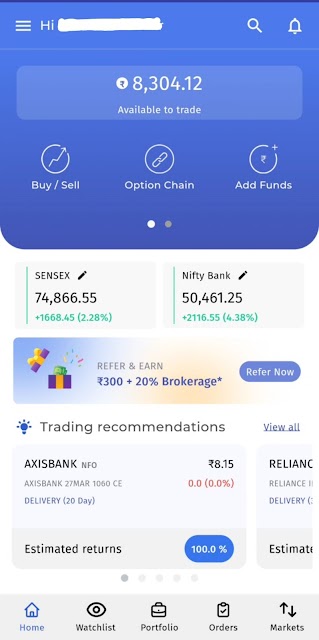
Open the Swastika app and log in.
Step-1
Open the Swastika app and log in.
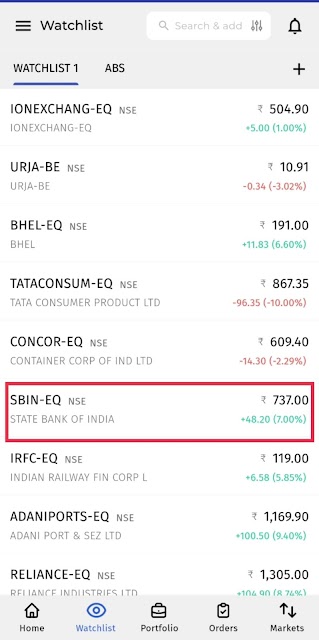
Go to the Watchlist and select the stock you want to trade.
Step-2
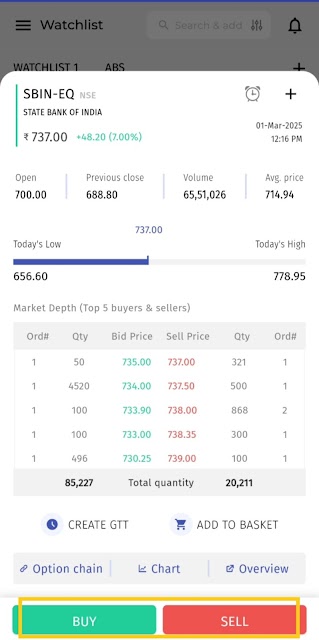
Tap on the BUY or SELL button.
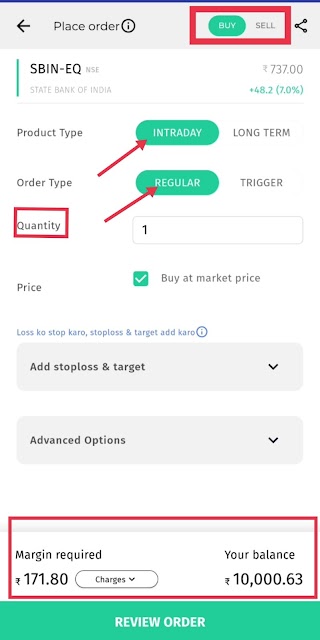
Under Product Type, select Intraday .
Enter the quantity and set the price, or choose Market Price for immediate execution.
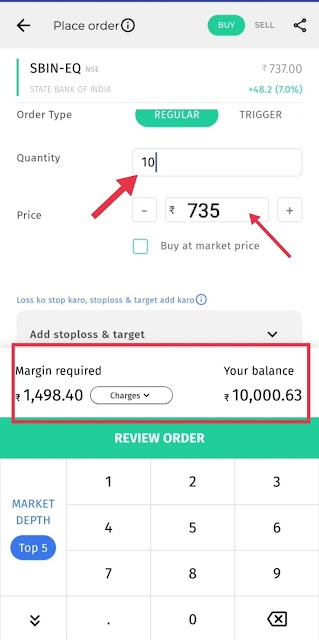
Step-3
Click on Review Order to verify all details.
Press BUY/SELL to confirm and place your order successfully!
Step-2
Tap on the BUY or SELL button.
Under Product Type, select Intraday .
Enter the quantity and set the price, or choose Market Price for immediate execution.
Step-3
Click on Review Order to verify all details.
Press BUY/SELL to confirm and place your order successfully!
Question 2: How can I check my intraday order?
Answer:
Go to the Orders section to track your order status.
Question 3: Can I modify or cancel my intraday order?
Answer:
Yes! If your order is not executed, you can modify or cancel it in the Orders section.
Question 4: What if I don’t square off my intraday position?
Answer:
If you don’t close your intraday position before market closing, it will be automatically squared off by the system.