How can I add a nominee online via Swastika Website & Mobile Application ?
Process Through the Web Platform
* Click on the Profile icon and Select Settings.
Tap on +Add nominee section
Select Yes option
Fill in all the required nominee details.
Fill in all the required nominee details.
tap save and proceed
Complete the nomination e-sign process using your Aadhaar-linked OTP.
Once the OTP is verified, the nomination request will be successfully submitted.
---
Process through the Mobile App
Login & Tap on profile icon-
Tap on App settings
Tap on Profile option
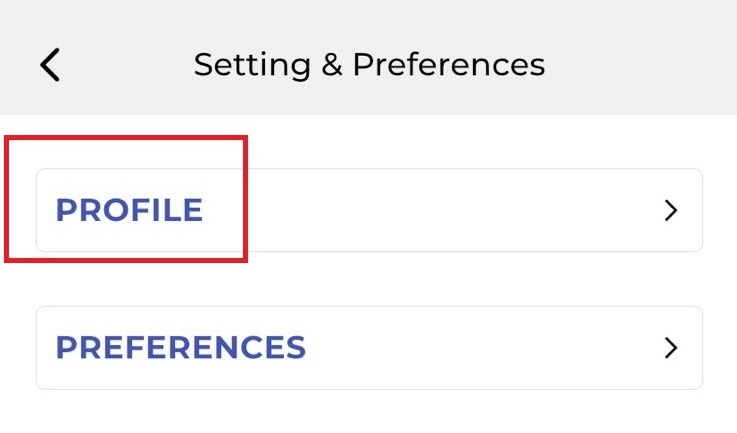
Tap on Nominee + icon
Select option Yes and fill the required details
( You can add upto 3 nominee)
( You can add upto 3 nominee)
Tap on submit.
Complete the e-sign using your Aadhaar-linked OTP.
Once the OTP is verified, the nomination request will be successfully submitted.
---
Q3. How can I add a nominee offline?
Please create a ticket to receive the nomination form on your registered email ID.
Fill in the required details and courier the signed nomination form to the address below.
Courier Address:
Head Office

48, Jaora Compound, M.Y.H. Road, Indore-452001

0731 - 6644000
Note:
- You can add up to 3 nominees to your account.
Nominee details will be updated within 7 working days after receives the forms.
Q4. Is it mandatory to add a nominee in a Demat account?
A. No, You can either add a nominee or choose to opt out of nomination as per applicable regulations.
Q5. How many nominees can I add?
A. You can add up to 3 nominees and specify the percentage share for each nominee.
Q6. What details are required for nominee addition?
A. Nominee name, date of birth , relationship, address, PAN , mobile number, Email , and share percentage.
Q7. Is Aadhaar e-sign mandatory?
A. Yes, the online nomination process requires Aadhaar-based e-sign authentication.
Q8. How long does nominee addition take?
A. Nominee requests are generally processed within a 1 working day after successful submission.
Q9. Can I change or update my nominee later?
A. Yes. Existing nominee details can be modified by following nominee modification process.
Q10. What happens if I don't add a nominee?
A. In the event of the account holder's demise, claim settlement may require additional legal documentation from the heirs.
A. You can add up to 3 nominees and specify the percentage share for each nominee.
Q6. What details are required for nominee addition?
A. Nominee name, date of birth , relationship, address, PAN , mobile number, Email , and share percentage.
Q7. Is Aadhaar e-sign mandatory?
A. Yes, the online nomination process requires Aadhaar-based e-sign authentication.
Q8. How long does nominee addition take?
A. Nominee requests are generally processed within a 1 working day after successful submission.
Q9. Can I change or update my nominee later?
A. Yes. Existing nominee details can be modified by following nominee modification process.
Q10. What happens if I don't add a nominee?
A. In the event of the account holder's demise, claim settlement may require additional legal documentation from the heirs.